


Nano Banana 2.1
- Best for
- Combining people: faces and identities stay recognizable
- Photos
- 2–6
- Credits
- From 10 for two photos
Upload two or more photos, choose a preset or say how they fit together, and the AI image combiner merges them into one natural photo with matched light, scale and shadows. Choose Nano Banana 2.1, Seedream 5.5, Qwen Image 3.0 or GPT Image 2.5.

AI photo combiner explained
An AI photo combiner takes two or more photos and makes one new picture from them. Instead of placing the images side by side, the AI image combiner reads who and what is in each photo and redraws them together in one scene with the same light, scale and perspective. Put two people in one photo, add a missing family member, place a product in a lifestyle shot or drop yourself into a new background.
Add 2 to 6 photos: people, pets, a product, a background or a style reference. In your prompt they are image 1, image 2 and so on.
Pick a preset, or write who goes where, what must stay the same and what the light looks like, for example: put the woman from image 1 next to the man in image 2 on a beach at sunset.
The AI image merger returns a 1K PNG. Combine it again with another photo, run the same prompt on another model, or download it.
Every model in this AI image combiner takes several photos at once. These pairings come from our own test runs and are a good place to start; the generator shows the credits before you run it.
| What you combine | Start with | Prompt starter |
|---|---|---|
| Two or three people into one photo | Nano Banana 2.1 | Put the woman from image 1 and the man from image 2 together on a beach at sunset, keep both faces and outfits the same. |
| A missing person into a group photo | GPT Image 2.5 | Add the grandmother from image 2 to the family photo in image 1, on the left. All people from image 1 stay unchanged. |
| A product into a scene | Seedream 5.5 | Place the sneaker from image 1 on the wet street in image 2, keep its shape and colors, add a reflection in the puddle. |
| A person into a new background | Qwen Image 3.0 | Place the man from image 1 walking on the street in image 2 at golden hour, keep his face and clothes the same. |
| AI photo combiner | Side-by-side merge | |
|---|---|---|
| Result | One new photo with everyone in the same scene | The original photos next to each other or in a grid |
| Light and scale | Matched by the model | Left as they were, so the seams show |
| Best for | Couple and family photos, product scenes, creative blends | Before and after, comparisons, collages |
| Cost | Credits per run | Free, no AI needed |
Pick a model
Every AI image merger model here combines several photos in one run. Start with the default, then switch when a merge needs something different. Credits are for a 1K image from two photos.
In the AI photo combiner, each extra photo adds a few credits (GPT Image 2.5 adds the most). The generator always shows the cost before you run it.
One AI image combiner covers the photo merges people ask for most. Each card shows the real input photos and the combined result, and the exact prompt is one click away.
Two people, one photo
Couples, friends and long-distance family
Upload a photo of each person and say where they stand. The AI photo combiner redraws both in one scene with the same light, so it looks like one shot instead of a cut-out.
Use this prompt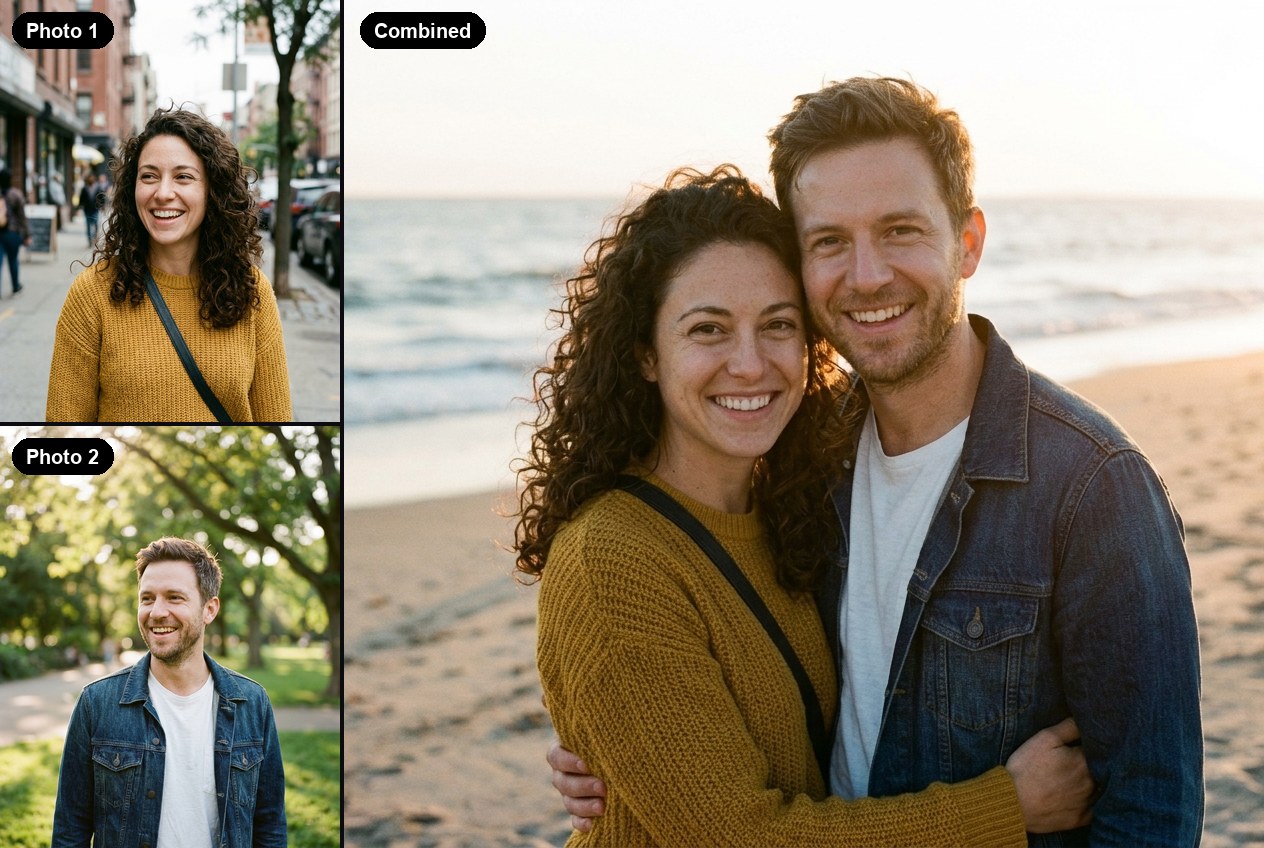
Add a person
For the one who missed the picture
Drop in the group photo and a photo of the missing person, then say where they go. The AI photo combiner keeps the faces, clothes and background of the original as they were.
Use this prompt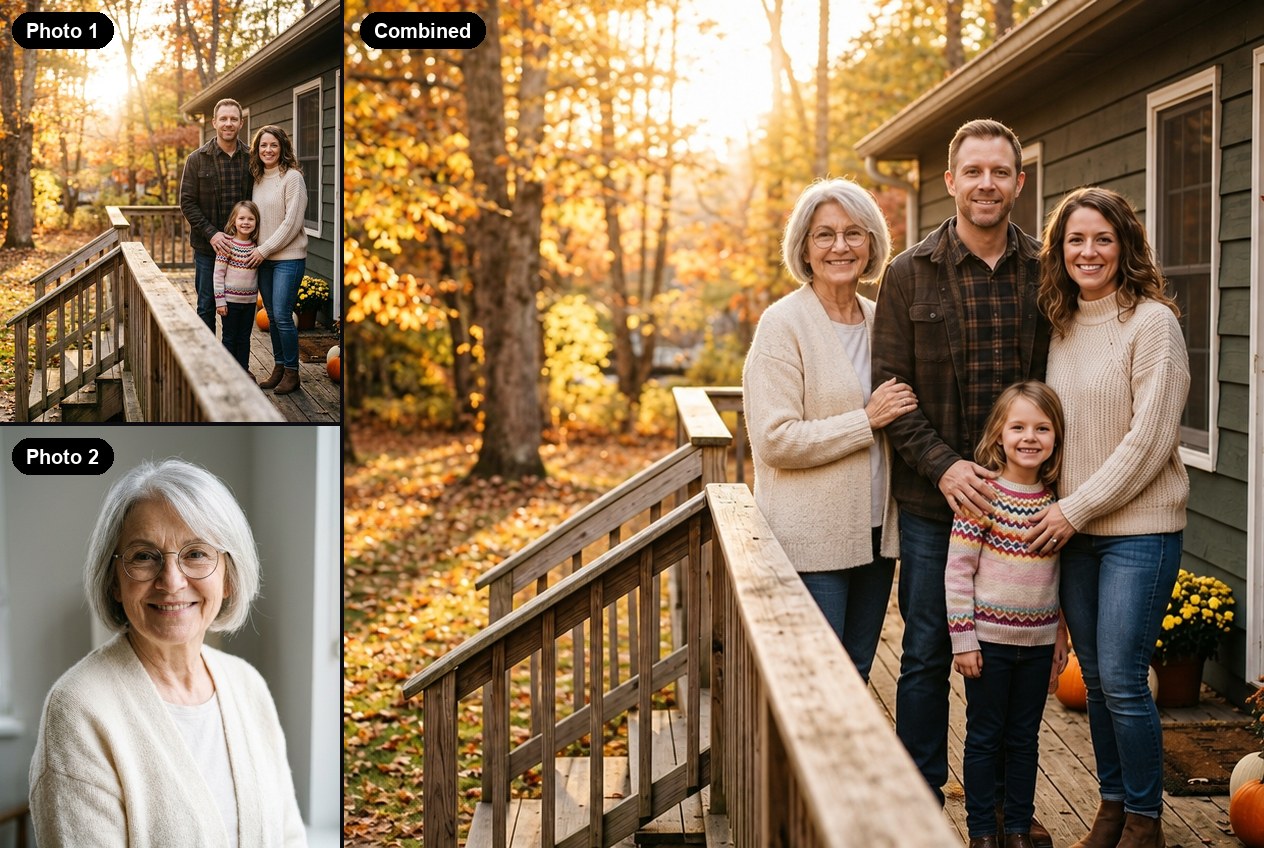
Product in a scene
One packshot, many lifestyle photos
Combine a plain product photo with a background you like. Tell the AI image merger to keep the shape and the colors, then run the same prompt on another model and compare.
Use this prompt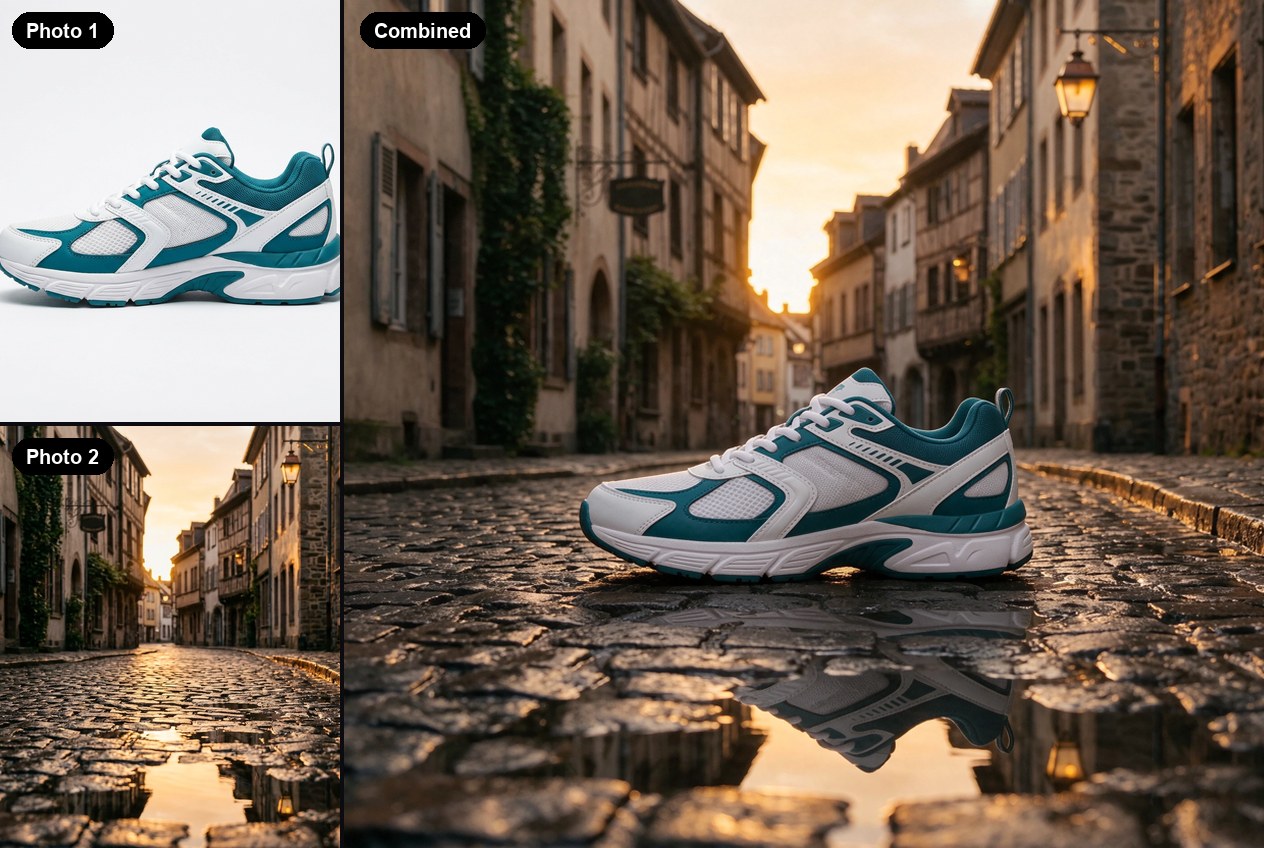
Group photo
Everyone in the picture, even if they were not there
Upload one photo of each friend and pick the place. The combiner puts everyone in one group shot with matching light and keeps each face and outfit.
Use this prompt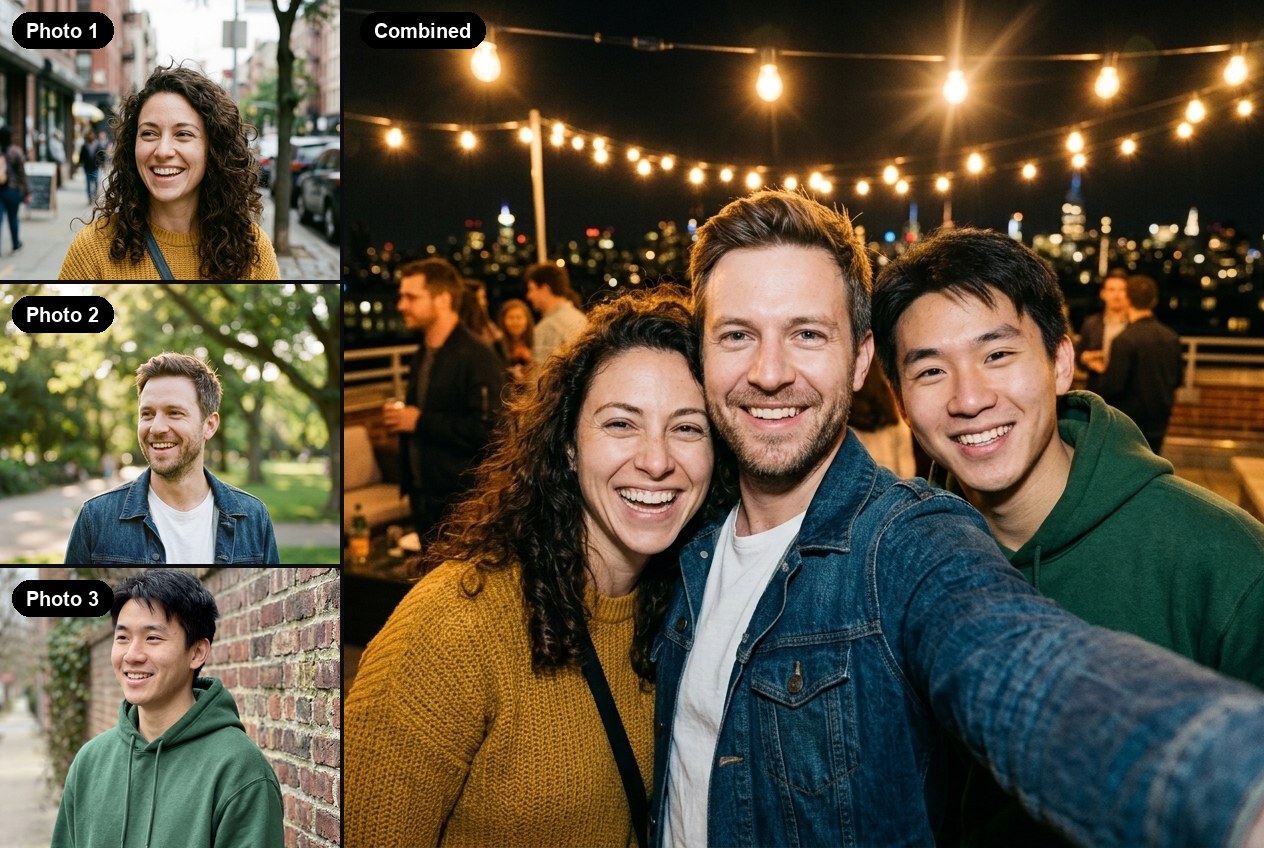
Side by side vs. AI combined
Drag the slider: a plain merge on one side, the AI result on the other.
A side-by-side merge only puts two photos next to each other. An AI image combiner rebuilds them as one picture: one background, one light source and the right size for everyone.
Combine your photos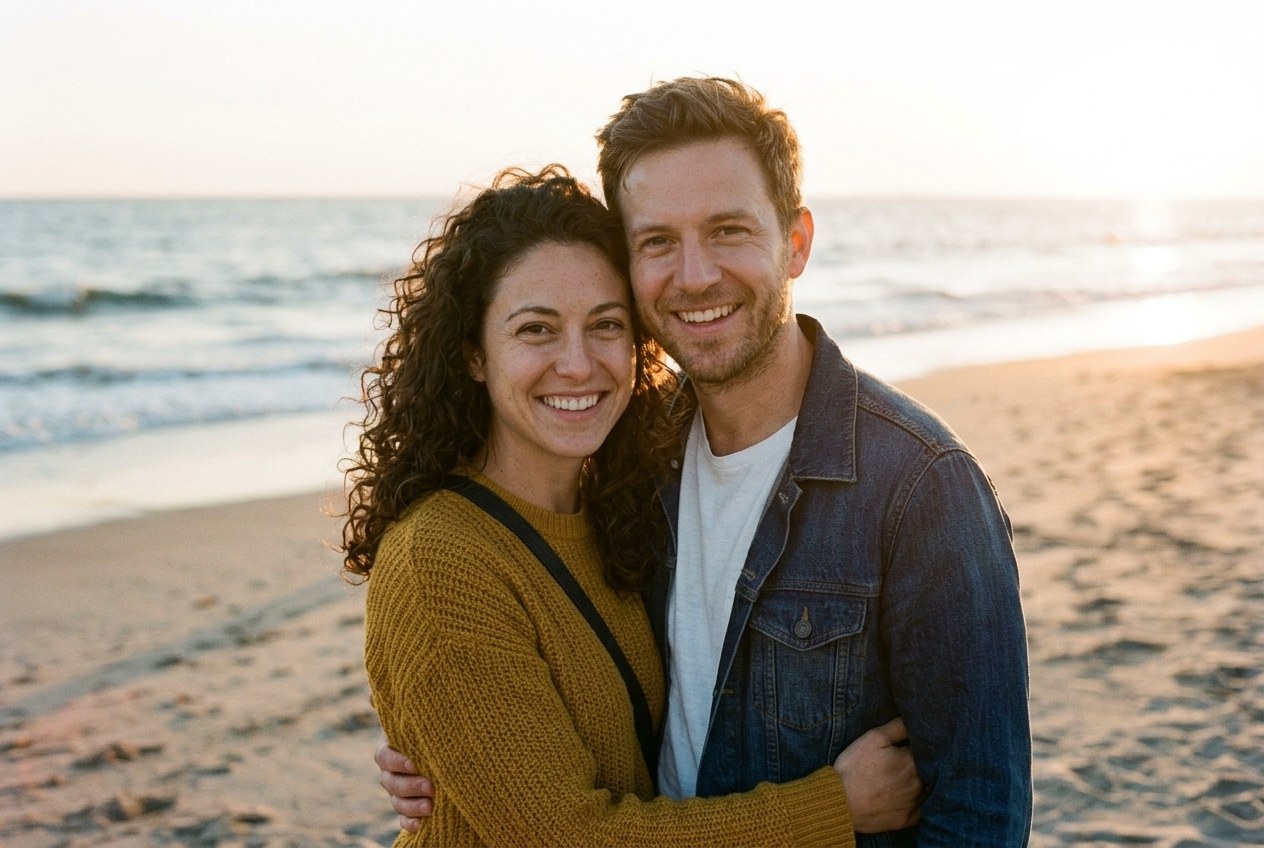
 Side by sideAI combined
Say where the light comes from, such as golden hour from the left, and the model relights everyone to match.
Name the spot and the scale, like standing behind the sofa, as tall as her shoulder. Clear positions give cleaner merges.
Add "keep both faces and outfits the same" to the prompt. Nano Banana 2.1 is the most faithful AI photo combiner model with people.
Simple steps
No Photoshop, no layers and no masks. The AI photo combiner works right in your browser.
Choose the plan that matches how often you generate with Image Combiner AI.
Answers about combining photos with AI, the models, pricing and how this site works.
An AI photo combiner merges two or more photos into one new image. Unlike a collage or a side-by-side merge, the AI image combiner redraws the people and objects from each photo in a single scene, with matching light, shadows and perspective.
Upload both photos to the AI image combiner above, choose a preset or describe how they should fit together, pick a model and press Combine Photos. Refer to the photos as image 1 and image 2 in the prompt. You do not need Photoshop, masks or layers.
New accounts get 10 free credits, enough for 1 combine of two photos with the default model, with no credit card. After that you buy credits or a plan. Free results carry a small watermark; paid results do not.
Two to six with Nano Banana 2.1 and GPT Image 2.5, up to five with Seedream 5.5 and up to three with Qwen Image 3.0. Upload PNG, JPG or WEBP files up to 10 MB each. Results are 1K PNG images in the shape of your first photo or in one of ten aspect ratios.
Start with Nano Banana 2.1 when you combine people, because it keeps faces closest to the originals. Use GPT Image 2.5 to add someone to a group photo or blend styles, Seedream 5.5 for cheaper product and background merges, and Qwen Image 3.0 for long instructions. The default costs 10 credits for two photos.
Usually, yes. In this AI photo combiner the most faithful model is Nano Banana 2.1, especially with a prompt that says "keep both faces the same". Use clear, well-lit photos where the face is visible. Small changes can still happen, so run the prompt again or try another model if a face drifts.
ChatGPT and Gemini can combine images in a chat if you describe the result. This AI image combiner is built only for that job: presets for common merges, four models to compare, up to six photos at once and a history of every result.
Only upload photos you have the right to use, and do not combine real people in ways they have not agreed to. Sexual, violent or misleading images of real people are not allowed. Prompts are checked before any credits are charged.
No. imagecombinerai.net is an independent web tool. It runs third-party models from Google, ByteDance, Alibaba and OpenAI through an API provider and is not affiliated with any of those companies.
Yes. Combined photos you create with the AI photo combiner are yours to use in ads, product listings, client work and social posts, as long as you have the rights to the photos you upload. Paid plans remove the watermark.
Upload two photos and describe the scene. The AI image combiner runs in your browser, and new accounts get free credits with no card required.
AI photo combiner models
Credits per two-photo combine
Free combine on sign-up